Client originally signed on with us wanting to rank for private golf clubs in the Denver area. Ravenna Country Club is situated near a gated community outside of Denver. The POC was looking to increase visibility in the city, and at the time, their rankings were on page 4 and beyond.
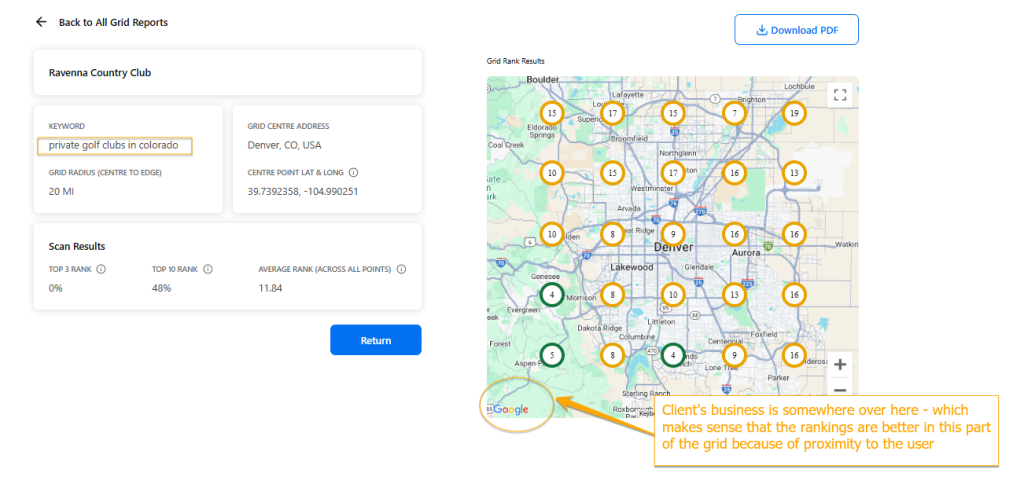
The keyword rankings won’t necessarily match our rankings in SEMrush, most likely because there is one point of reference for city in SEMrush. Our rankings in LocalFX vary based on proximity of the user and have multiple points of reference.
Our business is showing on the first page of Google in their ideal targeted area after several months of optimizations. It’s apparent that proximity plays a main role in how our keywords rank in the map. The further away the user is from the physical location of the business, the less likely that business ranks higher in search results.