Recently, Hodgson Russ redesigned their website, merging their Canadian and US sites into one in the process. The previous US site had been built on Firmseek. While attempting to perform some work on the site, I began to think the Firmseek access we were using did not actually grant us access to the new site, but rather the old site. The client was under the impression that we had been given access to the new site, so I decided to clear up the misunderstanding if it was possible.
SecurityTrails is a tool that looks up the DNS records of a given website. It requires an account to use, and while there are other tools to look up a site’s DNS records (WHOIS, ICANN, MXToolbox, etc.), I find SecurityTrails’ organization to suit my needs much better.
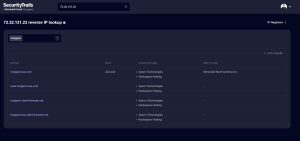
I plugged the site URL into SecurityTrails and found a number of other URLs, one of which was http://hodgson.client.firmseek.net/, which turned out to be the old site. I brought this up to the client and we agreed that new access would be needed.
Used SecurityTrails to determine whether or not the site access we had corresponded to the correct site.