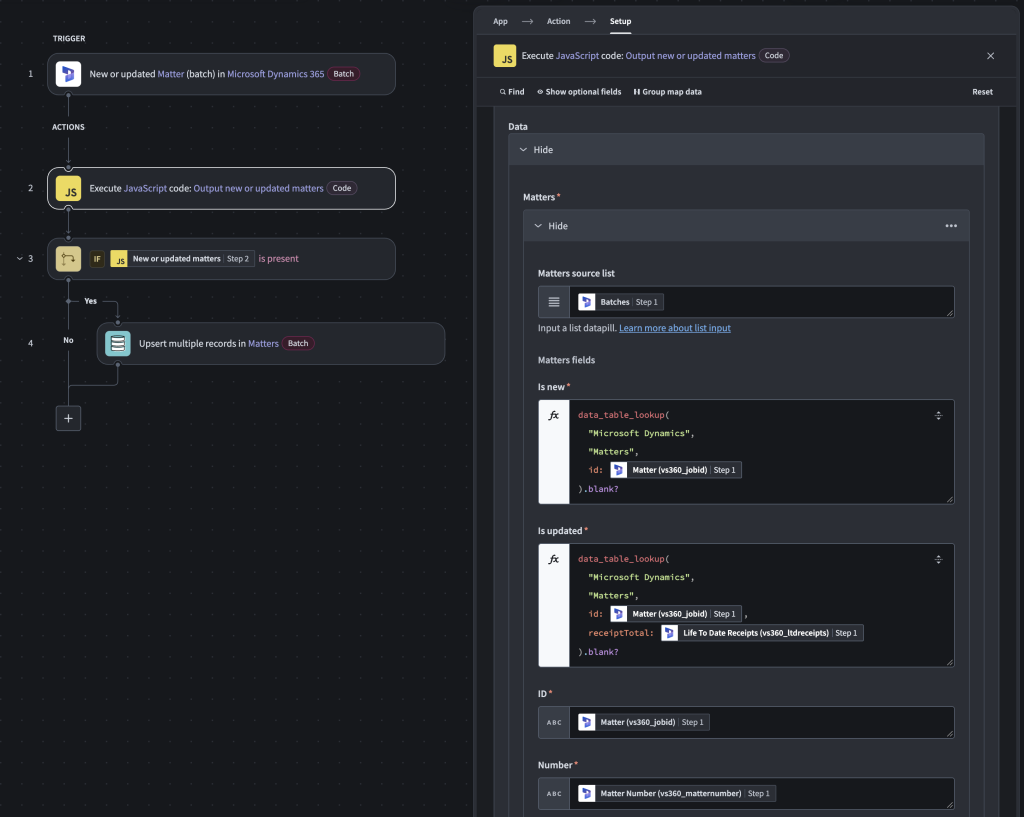
Solution
The Data Tables feature!
It’s similar to Lookup Tables but with higher limits: 50 columns and 1M rows vs 10 columns and 100k rows in Lookup Tables.
It’s also similar to the Event Stream (Pub/Sub) feature in that there are Data Table triggers, so a decoupled recipe can run based on new/updated records saved in the Data Table.
Like Lookup Tables, there is a lookup formula (guide). In the solution, I used this formula in a JS filter to determine if records are new or have a changed revenue value, in which case they get upserted to the Data Table. Then, another recipe with a Data Table trigger outputs the new/updated records and proceeds to the rest of the workflow, which involves fetching contacts and sending the data to RCFX.